
How do I send images to the KODAK Kiosk using my phone?
Published:
06/07/2017 - 16:43
Updated:
09/05/2024 - 23:33
On the Kiosk
- Follow the on-screen instructions for making a product.
- Select Picture Source - choose Mobile Device
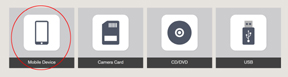
3. Select Using Wi-Fi
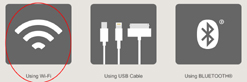
5. The screen will display a Network Name & Session Password.
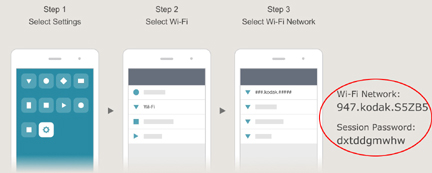
On your phone:
- Tap Settings
 > Wi-Fi
- Select the Wi-Fi Network: Look at the Kiosk screen and choose the matching Wi-Fi network
- Enter the Session Password: to Join the Network
- Now return to the Kodak Moments App.
- Photos will begin to transfer.